🎤 Elevate your sound game—studio quality, zero compromise.
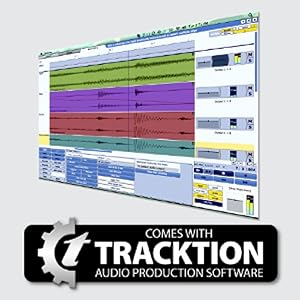
The Behringer U-PHORIA UM2 is a compact 2x2 USB 2.0 audio interface delivering professional 48 kHz recording quality with ultra-low latency. Featuring a +48V phantom-powered XENYX mic preamp, direct monitoring, and broad DAW compatibility, it’s designed for musicians and podcasters seeking portable, studio-grade sound. Bundled with powerful software and plugins, the UM2 transforms any setup into a versatile recording powerhouse.


| Brand | Behringer |
| Compatible Devices | Personal Computer |
| Connectivity Technology | USB |
| Number of Channels | 2 |
| Product Dimensions | 15.9D x 21.5W x 9.1H Centimeters |
| Supported Software | Avid Pro Tools, Ableton Live, Steinberg Cubase |
P**P
Good
Good product
G**T
Intermediary between laptop and guitar
it is a great product overall. ordered it a few days back and like it works as an intermediary between your laptop/speaker and your instrument/mic it is value for money and got a good enough audio quality. yes it is portable i carry it almost everywhere and design is just great. one thing it lacks is i doesn’t have a c cable jack which makes me carry extra wires.
J**S
Behringer U-PHORIA UM2 2 x 2 Audio interfacce with USB 2.0 is ideal for podcasting and youtubers
Before buying Behringer UM2 I had many apprehensions, since I am do not have much knowledge about music production and related things. Here, I would like to give a detailed account of its usage, so other youtubers and podcasters would not have to do the amout of reasearch that I had to put in. I don't know how good this is for music. I didn't hear any hiss even after I cranked up the gain to the max. But for voice recoding, this sounds perfect. Unlike what many people state, I went for a dynamic mic instead of a condenser. That is because, condenser mics including lav mics like Boya are good at capturing all the frequencies, so the overall sound quality would be high. But, they are also good at capturing background noise too. But a dynamic mic ( a 700 rupee Ahuja mic) would be so silent that I was able to record my voice at a pro level when another room was undergoing renovation and masonry work. The gain is just average and I have to give 150% amplification in audacity. Yet, the audio seems to be clean. We have to use an interface like this Behringer, since dynamics mics do not have their own power, so the signal would be too feeble to be picked up by the computer. To use Behringer UM2 , first attach the cable that came with mic to the front left port of Behringer UM2. Mine was an xlr to 6mm connector. The same port in the UM2 can also accept XLR cable. Now, connect a USB cable provided inside to your deskop/laptop. This usb cable is different from the usual USB cables, so you should not lose it. This cable feeds power to the UM2 from the desktop and also sends data to the computer. Finally go to setting (I use linux mint) and make adjustments like the one given in my pic. Thats it.
K**.
Value for money
Value for money but I wish I got it at discount :( Anyway, It's great for beginners, no issues faced at all. JUST ONE IMPORTANT TIP Make a YouTube search for "Behringer UM2 Setup Driver on Windows 10". It will guide you to download the Behringer's driver for the device. The company discontinued somehow so you have to download it manually from the description of the Youtube Video. Make sure to download the driver otherwise Windows will automatically download one for you ASIO4ALL which causes more noise somehow, so make sure to download the original driver manually through the above mentioned way. AFTER 2 Months: It still works great, no issues at all. The key to utilize your audio interface is to master it, keep using it, try different techniques, cables, keeping other electronic devices away, not pluggin in your charger into laptop when using this, will cause more noise.
K**K
Could have been a great basic audio interface, if there were decent driver support.
I have no complaints about the seller or Amazon. Both have done a great job of packing, shipping and accepting returns. Yes, I've returned this product. Not because it has bad audio quality or bad build quality. They're actually good. The problem is that the product is quite old and Behringer has stopped providing specific drivers for this device and suggests using ASIO4ALL which is a nightmare. I have spent 3 days trying to figure out how to make ASIO4ALL work with this device but the driver keeps locking up as soon as you open another app. There are many many such complaints about this and the Behringer care team will ask you to try many things and then ask you to install older drivers which are not officially supported on Windows 7 and above. So it will work for some and not work for some. It didn't work for me and I had to sadly return this and instead purchase Behringer UMC202HD U-Phoria USB Audio Interface with MIDAS Microphone Preamplifiers which is probably 2-3K more than this but has more features, better pre-amps and a driver that actually works great with Windows 10!
J**R
Sandar
Sandar supper prodact
Y**I
Complicated
Got it yesterday, its cute looking and built is also fine, no complaints as per its price. I got samson condenser n my korg pa300 attached initially with win10 laptop. The sound in direct monitoring was good with my akg headphones but getting drivers were complicated. They say in there demo thats its plug n play but i dont know how. In my audacity it was not showing so i tried finding its drivers which was tough n on there website also the all asio drivers are very complicated to make them work specially with audacity. So tried getting its supplied tracksion software but it was also complicated to get by filling forms n making login ids for it, would hv preferred a cd instead or some other easy process for it. Got tracsion codes now but hv not installed them as it was long n exhausting work already so will try it later n hope it works well. I really hope these are not the cases with other interfaces like focusrite etc as its very irritating for me. Now from past 2-3 days Im trying to make it work, downloaded its drivers, wave software also and seen demos but I dont know why Im still not able to record anything. Im very disappointed and advise not to buy it as its process are very complicated to make it work Im still struggling and dont want anyone else to waste their time on this useless equipment, pls spend more and get focusrite or other better products. Im sure they must be simplier.
S**K
There were scratches
It was all good but it seems like it was used before as there were scratches infront of the audio interface.
F**K
Einfaches und gutes AUdio Interface für Einsteiger und Profis
Ich habe mir dieses Audio Interface gekauft um ein XLR Mikro an einen PC anschließen zu können. Was soll ich sagen, ich bin begeistert. Für diese Anwendung ist das U-Phoria von Behringer einfach perfekt geeignet. Die Speisung erfolgt direkt über den USB Anschluss und funktioniert einwandfrei, die Tonqualität ist super und ich bin begeistert das alles Plug'n'play funktioniert hat. Das Behringer U-Phoria wird als "USB Audio CODEC" unter Windows 11 ohne weiteren Treiber erkannt und ist sofort benutzbar. Die Standard Windows 11 Treiber ermöglichen auch die Ausgabe von Ton über das Interface, so das alle Ausgänge des Interface genutzt werden können. So kann man eine komplexe Anlage erstellen, selbst mit nur einem XLR und einem Klinken Anschluss. Klar die Verarbeitung wirkt nun etwas billig und man findet Produktionsreste und Nähte auf den Drehschaltern, aber das ist wohl in diesem Segment kein Problem. Immerhin ist es das günstigste Audio Interface das ich gefunden habe, da beschwere ich mich nicht das ich keine Knöpfe aus gebürstetem Aluminium bekomme. Ich will das Teil nichtmehr missen müssen, ich würde es Jederzeit wieder kaufen.
M**S
Was misschien goed in windows 10
Is zeer moeilijk om nu nog de beste drivers voor te vinden in windows 11 en werkt van geen kanten.
J**O
Por este precio es inmejorable.
Llevaba bastante tiempo dándole vueltas al tema de hacer grabaciones de vídeos musicales con buena calidad de sonido, y no me decidía por ningún dispositivo. No sabía si comprar una mesa pequeña o una tarjeta de sonido, hasta que finalmente encontré un vídeo en YouTube donde hablaban de la Behringer UM2. Se podía conectar un micro y la guitarra así que, viendo lo que vale, me la compré por probar. Después de un par de semanas, tengo que decir que es una pasada. Graba con una calidad bastante buena, ya no tenéis excusa para no producir vuestra propia música con una calidad excelente. A continuación, os voy a poner las dudas que me surgieron antes de comprarla y mi posterior experiencia, por si os sirve de ayuda. - ¿Se pueden grabar guitarra y voz a la vez? Sí. Además cada registro entraría por canales diferentes, por lo que luego se pueden editar de forma independiente. - ¿Vale cualquier micro? Sí, tanto dinámico como de condensador. Además, lleva incorporado el PHANTOM, por lo que si tenéis un micro de condensador no necesitaréis comprarlo aparte. - ¿Hay problemas de latencia? No. Y esto bajo mi punto de vista es muy importante, hay tarjetas de sonido en las que empiezas a grabar sobre una pista, y al final la latencia hace que quede todo descuadrado. Es decir, que no sirven para grabar. En este caso puedes escuchar una pista que hayas grabado previamente mientras grabas otra nueva. - ¿Funciona bien el monitor? Perfectamente. Conectando unos auriculares, puedes oírte en todo momento de forma nítida mientras tocas. - ¿Cómo suenan los instrumentos y las voces? Yo hasta ahora he probado voces, guitarra acústica, española, eléctrica y ukelele. Todo suena bastante bien, no entra prácticamente ruido. Ya depende del tratamiento que le deis después a la grabación. - ¿Cómo se instala? Lo ideal es que busques los drivers originales, son fáciles de encontrar por Internet. En mi caso, con WINDOWS 10, la reconocía e instalaba, pero con unos drivers genéricos, por lo que tuve que buscar los específicos. Hay tutoriales en Youtube de cómo hacerlo. En fin, muy recomendable, espero que os sirva mi opinión, aun no he terminado de exprimirla, pero hasta ahora el resultado como os digo es muy positivo.
V**O
No solo cumple es buena calidad
Excelente precio y calidad
J**N
Perfect for your audio at a good price
Works great — as soon as I plugged it in, it started working. Audio is clear and I notice no background noise, at least none that I can hear. I’ve been using it as a sound card, and I’ll be using a mic on it soon — haven’t got round to that yet, but I’ve got a feeling it’ll work well. The output volume adjusts both speakers and headphones. In one way, I would’ve liked a separate volume control for headphones, but it’s not really needed, and it actually reminds me of the old hi‑fi amps where the main volume controlled everything. Plus, adding that would just increase the cost unnecessarily, so yeah — it’s perfect. Latency is perfect. Windows 11 I did not have to install any drivers it's full plug and play. I love the controls on top.
Trustpilot
1 month ago
1 month ago